There are lots of tools available in android which boost your android development we will discuss all of them in brief but before let us list those tools
1) Android SDK and AVD Manager
2) Android Emulator
3) Dalvik Debug Monitor Server (DDMS)
4) Android Debug Bridge (ADB)
5) Android Hierarchy Viewer
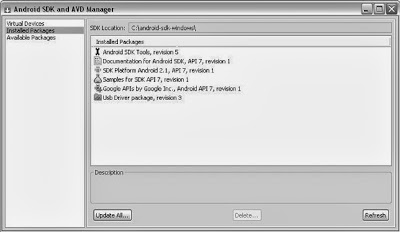
1) Android SDK and AVD ManagerAVD Stands for Android Virtual Device provides easy to use user interface. An AVD is a Configuration for your Android Emulator which allow you to set different configuration.
How to Create an AVD ?You can create as many AVD as you want for your android application.
Step 1 : Start AVD Manager.
Step 2 : In the Virtual Device Panel you will see a list of already created AVD. Click on
new button to create new AVD.
Step 3 : Fill the Appropriate details in textbox like AVD Name, Targeted Platform, SD Card Size and skin. you can also add specific hardware support.
Step 4: Click on
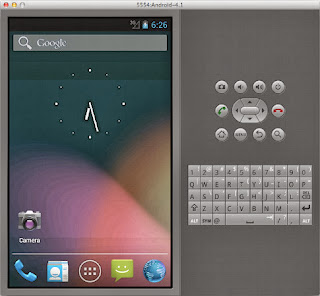
Create AVD2) Android Emulator Android Emulator runs on your computer. Emulator allows you to test your android application without requirement of physical android smartphone.
3) Dalvik Debug Monitor Server (DDMS)