Showing posts with label a. Show all posts

Monday, November 28, 2016

The default keyboard for Huawei Ascend comes with a multitouch, but what if you want to change and install a new keyboard. This is a thing unique to Android platforms because there are numerous keyboard options.

First, you need to install some new keyboards.

There are many different options when it comes to Android keyboards. Play around with all of them and see which one fits you best.
Better Keyboard It will allow you to change and fine-tune the keyboard to make it your own.
 
SwiftKey is another option that provides impressive word prediction, including a feature that predicts the next word you havent even begun to type yet.

Its now ready to switch a new keyboard:

1. Tap the applications launcher

2. Scroll over and tap Settings

3. In the settings menu, scroll down and tap Language & keyboard


Alternate Text
If you have a custom keyboard installed, you will see an option to toggle it on and off with a check box. In order to have it appear as a selection, the box next to your myTouchd keyboard must be checked.

4. Tap on Input method

5. Find the name of the keyboard you want to activate, and tap on it.

Alternate Text

6. Press the Home button
 If you want to test it to make sure it is activated, just press the Search key, and your keyboard will pop up like in the image above.

Android Apk
Read More..

Thursday, August 4, 2016

This just a simple tips on how to set a different ringtones on you Samsung Galaxy Gio. If you already downloaded your favorite MP3 songs on your PC and want to transfer it in your Galaxy and customize at as your personal message or alert tones,  all you have to do is connect your Samsung Galaxy Gio to your computer or laptop via USB cable and then select "connection type" and get access to storage memory card.

Heres how to connect Galaxy Gio into Mass Storage Mode Option:

- On Main Home Screen tap Menu > Settings > Application
- Enable USB Debugging
- Return to Home Screen
- Then plug the USB cable into your Galaxy S2
- Pull down status bar
- Press Connect USB Storage button

samsung galaxy gio freeze and hang on logo fix
Alternative way without USB Debugging
- Go to Settings > Wireless & Network
- USB utilities and click the button >
- then plug in USB cable

Once youve establish a connection from you Galaxy Gio to your PC, just browse to your mass storage
then find the folder "Notifications", if its not on there, create a new folder and simply renamed it "Notifications".

>SDCARD/ MEDIA/ AUDIO/ NOTIFICATIONS

Then grab a copy music files you wanted from your computer and paste into that folder "Notifications". Once finishes, disconnect your Galaxy Gio from the computer. Then you can set that music files as your message tone.

- Go to Message/Inbox icon located at the bottom of your Samsung Galaxy Gio screen

- In the Message/Inbox Settings simply choose the file that youve copied as your message ringtone

If you already have a music files stored on your Samsung Galaxy Gio S5660, do this steps below:
- Go to "My Files" then copy that mp3 music file you like to use as your messages ringtone.
( Just tap and hold that music file then you can choose either to copy or move that music file)
- Next, paste that music file in your media folder > SDCARD/ MEDIA/ AUDIO/ NOTIFICATIONS
- Go to Message/Inbox icon located at the bottom of your Samsung Galaxy Ace screen

- In the Message/Inbox Settings simply choose the music file that youve copied as your message ringtone
If you have a problem about the volume loudness, this sometimes happens that your custom ringtone volume is too low compared to the pre-installed ringtone on your Galaxy Gio which as much louder.
You can try using this program, MP3GAIN, to boost up maximized the volume of your mp3s decibels.
http://mp3gain.sourceforge.net/download.php

Or this app from Android Market..Volume+ (Sound Boost)
currently using this app for my boosted up mp3s using MP3GAIN.
But works only on Gingerbread..
https://market.android.com/details?id=com.TEST.android.lvh&feature=search_result

Android Apk
Read More..

Friday, January 29, 2016

Android O/S : 2.1+


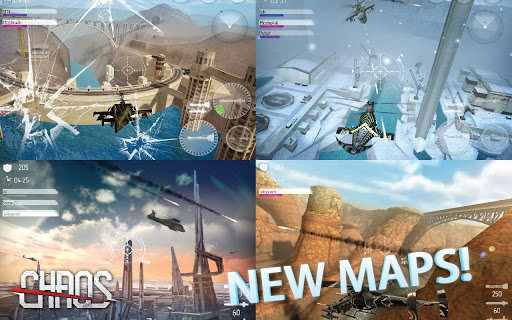
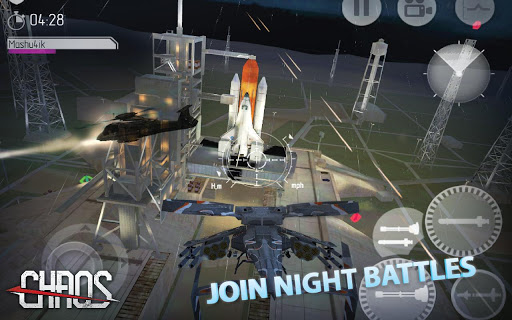
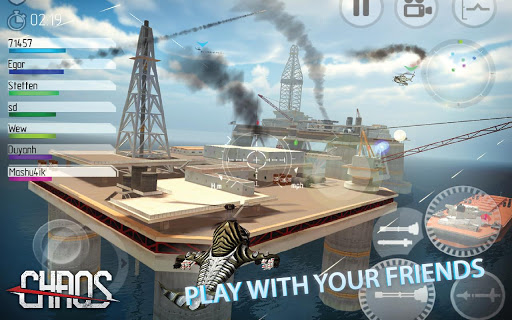
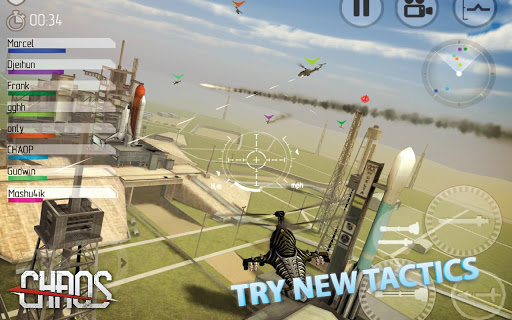
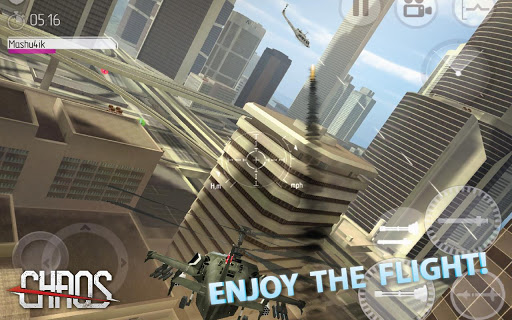
CHAOS Tournament - is your one of your opportunity to go through
the new and wonderful military adventure in the sky...


CHAOS Tournament - is your one of your opportunity to go through the
 new and wonderful military adventure in the sky, but in an even more 
rigorous and competitive environment. If you are an experienced cool
 pilot - then improve your fighting skills, fighting on the rigid rules of our 
tournaments with those who already have high significant experience in 
the management of helicopter gunships.So be ready to attack...
FEATURES:
-3D and HD graphics.
-Plays you Videos of fighting which is for the analysis and preparation for combats available.
-Contains 2 cool tournaments-Regular and Elite.
-The integration of games with Game Center and Facebook.
-Realistic helicopter simulator and game play, rich with actions and events.
-Highly detailed and top helicopter models from leading manufacturers including the U.S, Russia and Europe
-Unique visuasl and sound effects which takes you to the helicopter gunships.
-Real maps and battle locations.
-8 top training missions,In which you can prepare for the air fight by completing training missions.
-you can improve performance and upgrade weapons for your helicopter.
-Medals and orders are given for the professionalism displayed in battle.
-Detailed statistics combat achievements, which is available both in game and on their website.
-APK + OBB.
-Android Version=2.1+
-Size= 130 MB.
IN THIS VERSION:
-New three missions added.
-Ground combat equipment involved in missions (tanks, air defence, etc...).
-Bugs fixed.
SCREEN SHOTS:


-APK + OBB.
-Android Version=2.1+
-Size= 130 MB.


http://dl2.androidgame365.com/downloadf-templerun2-1359076928669-apk-apk.html

Android Apk
Read More..

Tuesday, April 28, 2015

The culture at New Milford High School empowers teachers to develop creative pathways for students to demonstrate conceptual mastery.  Joanna Westbrook, one of my first year English teachers, never shies away from this.  Earlier this year she experimented with using Twitter to foster creative thought.  Well earlier this week Mrs. Westbrook was at it again.  On Monday she enthusiastically entered my office to share a new project she was working on that was going to integrate Instagram.  As she explained the project to me I immediately asked her if she could email it to me so I could not only share it, but also gather some feedback for her from my Personal Learning Network (PLN).  Below is the assignment, which she has begun to implement in class.  Please note, however, that it is still a work in progress.  


The aim of the Instagram Project is to challenge you to communicate a concept from A Raisin in the Sun through the use of visual images.  You will choose a theme/concept statement from the statements we generate or address in our Socratic Seminar at the end of the play. Once you have chosen that statement, you will produce a series of photos that you will post to Instagram in the form of a photo essay. The requirements are as follows:

  1. IDENTIFY THE CONCEPT IN THE PLAY. The first two photos will portray the concept as it is expressed in at least two specific lines from the play. In your comment for both photos, you will quote the lines accurately and include the parenthetical documentation for the act, scene, and page number.  The group members will be the “characters” in the photos and the tableau you create must be true to both the stage directions and visual “SPECTACLE” of Hansberry’s play.   
  2. CONNECT THE CONCEPT FROM THE PLAY TO YOUR WORLD/LIFE. The next three photos will portray the concept as it is demonstrated in the world around you.  In your comment for these photos, you must articulate how the concept is connected to the play AND to contemporary society.  Note you can EITHER agree OR disagree with the statement.
  3. PORTRAY HANSBERRY’S SPECTACLE. On the day we take the photos, you must have assembled and planned the props you will use to convey both the details of the play and the ideas you want to communicate.  YOU MUST BE PREPARED FOR THE PHOTOS.
  4. DIVIDE RESPONSIBILITIES. You will work in a group of three.  Each group must have at least one student with a smart phone.  Each group member must be responsible for the planning/staging/arrangement/comment of at least 1 photo in the collection you submit. Divide tasks and be fair. DO YOUR BIT!

Theme /Concept Statements 

  1. If you work hard enough, you can achieve your dreams. 
  2. Discrimination is a reality in our world.
  3. Men and women have equal opportunities.
  4. Success is having a lot of money.
  5. It is honorable to sacrifice for the sake of someone else. 
  6. Sometimes we have to make a morally questionable choice to do what is right. 
  7. A family not having extra money is more difficult on a man than on a woman. 
  8. Poverty level has little impact on quality of life. 
  9. Meeting family obligations is more important than individual desires.
  10. A person should be willing to do a job he/she hates to provide for their family.

OTHERS:

*Note each theme statement can also be negated.  For example, “Hard work is not enough for us to reach our dreams….”

A rubric as well as the Common Core Standards that are to be assessed can be found HERE.  So what do you think of this project?  Do you have any constructive feedback that I can share with Mrs. Westbrook?

Read More..